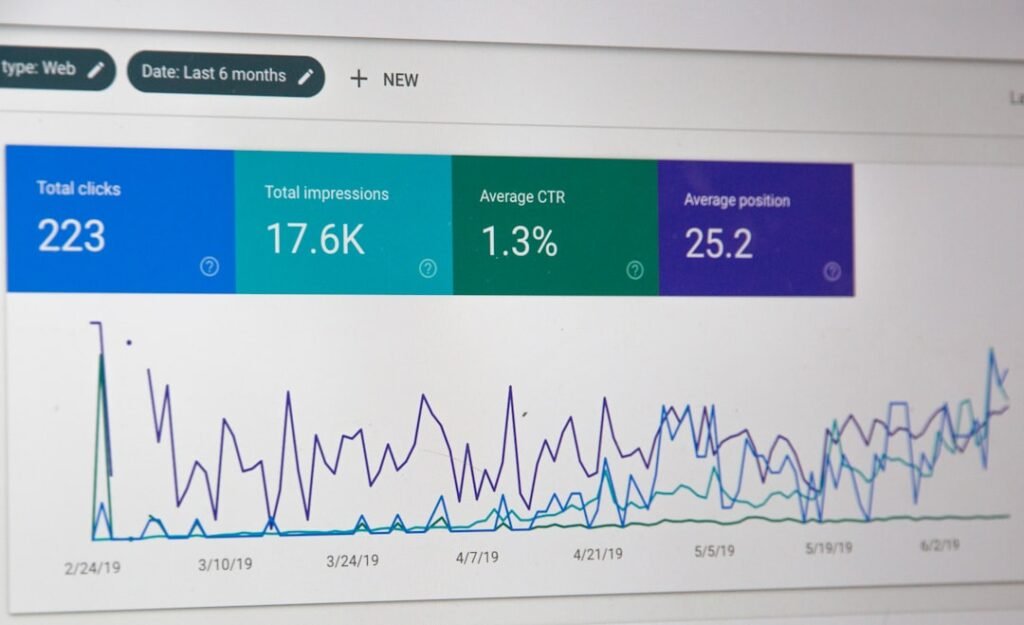
In the fast-paced world of customer support, the ability to access and analyze data in real-time is crucial for enhancing service quality and operational efficiency. Dashboards serve as powerful tools that aggregate various metrics and insights into a single, visual interface, allowing customer support teams to monitor performance, identify trends, and make informed decisions. The construction of an effective dashboard is not merely a technical task; it requires a deep understanding of the specific needs of customer support teams, the key performance indicators (KPIs) that matter most, and the tools available to create a user-friendly experience.
The significance of dashboards in customer support cannot be overstated. They provide a centralized view of critical data points, enabling teams to track their performance against established benchmarks. By visualizing data through graphs, charts, and other visual aids, dashboards facilitate quicker comprehension and analysis.
This immediacy is essential in customer support environments where timely responses can significantly impact customer satisfaction and retention. As organizations increasingly rely on data-driven decision-making, the importance of well-constructed dashboards continues to grow.
Key Takeaways
- Building a dashboard for customer support teams requires understanding their unique needs and selecting the right KPIs.
- The right dashboard tool for customer support teams should be user-friendly and intuitive, with the ability to integrate data sources for comprehensive insights.
- Customizing dashboards to fit the unique needs of customer support teams is essential for effective usage and impact on performance.
- Real-time data updates are crucial for proactive support, and training and onboarding customer support teams on dashboard usage is important for success.
- Measuring the impact of dashboards on customer support performance and maintaining and evolving them with best practices is key for long-term success.
Understanding the Needs of Customer Support Teams
High-Pressure Environment
Customer support teams often work under high-stress conditions, where they must respond to inquiries and resolve issues promptly. This environment necessitates access to real-time data that reflects current workloads, response times, and customer satisfaction levels.
Multi-Channel Support
Customer support teams often deal with a diverse range of inquiries across multiple channels—phone calls, emails, live chats, and social media. Each channel may have its own set of metrics that need to be monitored. For instance, response times may vary significantly between live chat and email support.
Collaborative Design
Engaging with customer support representatives during the design phase can yield valuable insights into what metrics they find most useful and how they prefer to visualize this information. This collaborative approach allows dashboard creators to tailor their designs to meet the specific demands of support personnel and provide a holistic view of team performance.
Choosing the Right Key Performance Indicators (KPIs) for Customer Support

Selecting the appropriate KPIs is a critical step in dashboard development for customer support teams. KPIs serve as measurable values that indicate how effectively a team is achieving its objectives. Common KPIs in customer support include average response time, first contact resolution rate, customer satisfaction score (CSAT), and ticket volume.
Each of these metrics provides insights into different aspects of team performance and customer experience. For example, average response time is crucial for understanding how quickly customers are being attended to. A high average response time may indicate staffing issues or inefficiencies in the support process.
On the other hand, first contact resolution rate measures the percentage of inquiries resolved during the first interaction, which is a strong indicator of both team effectiveness and customer satisfaction. By carefully selecting KPIs that align with organizational goals and customer expectations, dashboard creators can ensure that the data presented is relevant and actionable.
Selecting the Right Dashboard Tool for Customer Support Teams
The choice of dashboard tool can significantly influence the effectiveness of data visualization for customer support teams. There are numerous options available in the market, each with its own set of features, integrations, and user interfaces. When selecting a dashboard tool, it is essential to consider factors such as ease of use, customization capabilities, integration with existing systems, and scalability.
For instance, tools like Tableau and Power BI offer robust data visualization capabilities but may require more technical expertise to set up and maintain. Conversely, platforms like Zendesk or Freshdesk provide built-in reporting features specifically designed for customer support teams, making them more user-friendly for non-technical staff. Additionally, it is vital to assess whether the chosen tool can integrate seamlessly with other software used by the support team, such as ticketing systems or CRM platforms.
This integration ensures that data flows smoothly between systems, providing a comprehensive view of customer interactions.
Designing a User-friendly and Intuitive Dashboard Interface
A well-designed dashboard interface is crucial for ensuring that customer support teams can easily interpret and act on the data presented. The layout should prioritize clarity and simplicity while allowing users to drill down into more detailed information as needed. Effective use of color coding, icons, and visual hierarchies can enhance usability by guiding users’ attention to key metrics.
For example, using green to indicate positive performance metrics (such as high CSAT scores) and red for areas needing improvement (like increased ticket volume) can help users quickly assess their performance at a glance. Additionally, incorporating interactive elements such as filters or dropdown menus allows users to customize their view based on specific time frames or channels. This level of interactivity not only enhances user engagement but also empowers support teams to explore data more deeply without overwhelming them with information.
Integrating Data Sources for Comprehensive Customer Support Insights

Consolidating Disparate Data Points
By consolidating these disparate sources into a single dashboard, teams can gain comprehensive insights into overall performance.
Enriching Data with Context and Feedback
For instance, integrating data from a CRM system can provide context around customer interactions by linking support tickets to customer profiles and purchase histories. This integration allows support agents to understand the customer’s background better and tailor their responses accordingly. Furthermore, incorporating feedback from customer surveys can enrich the data set by providing qualitative insights alongside quantitative metrics.
Identifying Trends and Correlations
This multifaceted approach enables teams to identify trends and correlations that may not be apparent when analyzing data from individual sources in isolation.
Customizing Dashboards to Fit the Unique Needs of Customer Support Teams
Customization is key when it comes to building effective dashboards for customer support teams. Each team may have different priorities based on their specific goals, industry standards, or customer expectations. Therefore, allowing for customization within the dashboard can enhance its relevance and usability for individual users or teams.
For example, a technical support team may prioritize metrics related to ticket resolution times and technical issue categories, while a sales support team might focus more on lead conversion rates and customer follow-up times. Providing options for users to select which KPIs they want to display prominently on their dashboards ensures that each team member can focus on what matters most to their role. Additionally, enabling users to save personalized views or create custom reports can further enhance their ability to leverage data effectively.
Implementing Real-time Data Updates for Proactive Support
In today’s fast-paced business environment, real-time data updates are essential for proactive customer support. Dashboards that reflect live data allow teams to respond swiftly to emerging issues or trends before they escalate into larger problems. For instance, if ticket volume spikes unexpectedly during a product launch or promotional campaign, real-time updates enable managers to allocate resources effectively and ensure that customers receive timely assistance.
Moreover, real-time data can facilitate proactive outreach efforts by alerting teams to potential issues before customers even reach out for help. For example, if a significant number of customers report similar issues through social media channels or community forums, support teams can address these concerns proactively by providing solutions or updates directly to affected customers. This proactive approach not only enhances customer satisfaction but also builds trust in the brand’s commitment to addressing issues promptly.
Training and Onboarding Customer Support Teams on Dashboard Usage
Even the most sophisticated dashboards will fall short if users do not know how to utilize them effectively. Comprehensive training and onboarding programs are essential for ensuring that customer support teams can maximize the value of their dashboards. Training should cover not only how to navigate the dashboard but also how to interpret the data presented and apply insights to improve performance.
Interactive training sessions that include hands-on practice with the dashboard can be particularly effective in reinforcing learning outcomes. Additionally, creating user guides or video tutorials can provide ongoing reference materials for team members as they become more familiar with the tool over time. Encouraging feedback during training sessions can also help identify areas where additional support may be needed or where users may struggle with specific features.
Measuring the Impact of Dashboards on Customer Support Performance
To assess the effectiveness of dashboards in enhancing customer support performance, organizations must establish clear metrics for evaluation. This could involve tracking changes in key performance indicators before and after dashboard implementation or conducting surveys to gauge user satisfaction with the tool itself. By measuring these impacts over time, organizations can determine whether their investment in dashboard technology is yielding tangible benefits.
For instance, if average response times decrease significantly after implementing a new dashboard tool that provides real-time insights into ticket volume and agent availability, this would indicate a positive impact on performance. Similarly, improvements in customer satisfaction scores following the introduction of proactive outreach based on dashboard insights would further validate the effectiveness of the tool in enhancing service quality.
Best Practices for Maintaining and Evolving Customer Support Dashboards
Maintaining an effective dashboard requires ongoing attention and adaptation as organizational needs evolve over time. Regularly reviewing KPIs and metrics ensures that they remain relevant and aligned with changing business objectives or customer expectations. Additionally, soliciting feedback from users about their experiences with the dashboard can provide valuable insights into areas for improvement or new features that could enhance usability.
It is also important to stay informed about advancements in technology and data visualization techniques that could enhance dashboard functionality. As new tools emerge or existing platforms release updates, organizations should evaluate whether these innovations could benefit their customer support teams. By fostering a culture of continuous improvement around dashboard usage—encouraging experimentation with new features or metrics—organizations can ensure that their dashboards remain valuable assets in driving exceptional customer service outcomes over time.